A WiFi QR code does something trivial that eliminates a real daily annoyance: it lets someone join your WiFi network by pointing their phone at a code instead of typing a password. The specification is simple, the feature works on every major smartphone without installing anything, and the deployment patterns are well-understood after more than a decade of use. This guide covers how WiFi QR codes work, when they are the right tool, and how to deploy them without creating the security problems that casual users often inadvertently build into their home or office networks.+
The WIFI URI Format
A WiFi QR code does not contain a URL or an image. It contains a specially formatted text string starting with the prefix WIFI: that operating systems recognize and handle automatically.
The basic structure looks like this:
+
WIFI:T:WPA;S:NetworkName;P:Password;;
The fields are:
- T: Security type. Values are
WPA(for WPA, WPA2, and WPA3),WEP(for legacy networks), ornopass(for open networks). - S: SSID. The network name exactly as it appears.
- P: Password. The network password. Omitted for open networks.
- H: Hidden flag.
H:true;for hidden networks.
Special characters in the network name or password (semicolons, backslashes, quotes, commas) must be escaped with a leading backslash. Most generators handle this automatically, but hand-written WIFI URIs need careful escaping.
When a phone scans a QR code containing this string, the operating system recognizes the prefix and shows a prompt asking whether to join the network. iOS shows this since iOS 11 (2017). Android has supported it since Android 10 (2019) with broad rollout in Android 11. Older phones may not handle the format directly and may simply display the URI as text.
The Generation Process
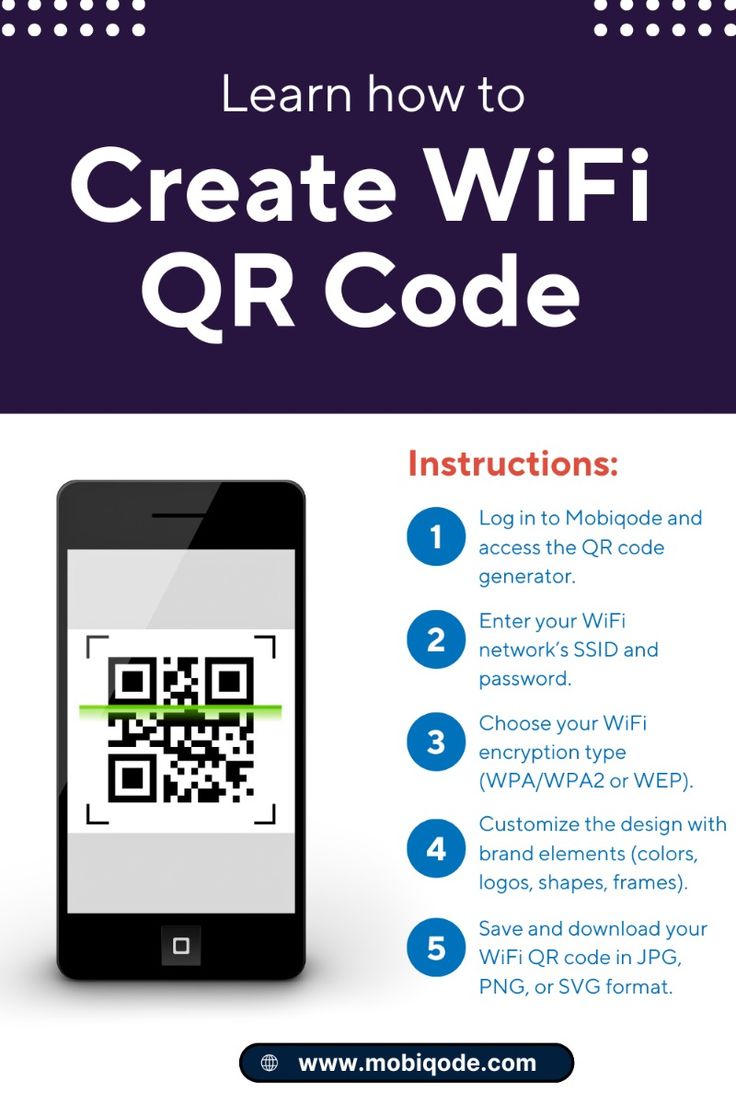
Creating a WiFi QR code is as simple as encoding the right text string as a standard QR code. Almost any QR code generator accepts a raw text payload and can produce a WiFi QR if you format the string correctly. Dedicated WiFi QR generators simplify this by offering fields for SSID, security type, and password, then building the URI automatically.
Free tools like the QR code generator at File Converter Free include a WiFi option that generates the correct URI format without requiring you to understand the syntax. For users generating codes occasionally, this is the right tool.
For users generating codes programmatically or at scale, open-source libraries like qrcode (Python), qrcode-terminal (Node.js), and qrencode (command-line) handle WiFi codes natively. The entire operation happens offline, which is important for security: a WiFi password typed into an online service is a WiFi password the service now knows.
| Generation Method | Offline Capable | Ease of Use | Best For |
|---|---|---|---|
| Online generator with WiFi option | No | Very easy | Casual one-off use |
| Offline QR generator with text input | Yes | Easy | Security-conscious users |
| Programming library | Yes | Moderate | Automation, bulk generation |
| Command-line tool (qrencode) | Yes | Easy for developers | Scripting |
| Router-built-in generator | Yes | Very easy | Home and SMB networks |
| Mobile app generator | Varies | Easy | Phone-only workflows |
Home Network Deployment
The basic home deployment of WiFi QR codes is a single code placed somewhere guests can see it, usually near the front door, in the guest bedroom, or in the kitchen.
The Simplest Pattern
Generate a QR code for your home network. Print it on a small card or sticker. Place it somewhere visible. Done.
This works and saves everyone the annoyance of typing your WiFi password. It also makes your WiFi password visible to anyone who photographs the code, which may or may not be a concern depending on who has access to your home.
The Better Pattern
Create a separate guest network on your router. Enable client isolation on the guest network so connected devices cannot see each other or reach your main network. Set a reasonable bandwidth limit. Generate a QR code for this guest network only.
Your main network password stays private. Guests scan the visible code and join the guest network without any inconvenience. If a guest's device is compromised, the attacker reaches only the guest network, not your main network with its smart home devices, NAS, and personal computers.
Modern routers from Eero, TP-Link, Asus, and Netgear make this pattern trivial. Most have a guest network setup wizard that takes a minute and includes a QR code generator as part of the flow. The productivity and tech coverage at When Notes Fly has documented specific router setup walkthroughs for the common consumer models, noting that guest network isolation has become a default recommendation even for households that do not frequently host visitors.
Office and Small Business Deployment
Business networks have different requirements than home networks. A single guest WiFi with a QR code at the reception desk is the typical pattern, but the implementation details matter.
Segregated Networks
The guest network should be completely isolated from the business's internal network. This is usually accomplished with VLANs at the switch level, with the guest VLAN routed only to the internet and never to internal subnets. Consumer routers handle this automatically with guest network features; business-grade equipment requires explicit configuration.
Bandwidth and Time Controls
The guest network should have bandwidth limits to prevent a single guest from saturating the office's internet connection. Time-based access (auto-expiring credentials after a business day) adds another layer of security, although this can annoy regular visitors.
Captive Portal Considerations
Some businesses add a captive portal that requires guests to accept terms of service before using the network. This is a good legal practice (it establishes that the guest has agreed to acceptable use terms) but complicates the QR code experience because the captive portal still requires browser interaction after the QR-based network join. Many modern captive portals handle QR-initiated joins gracefully, but older systems may break the seamless experience.
Documentation
The QR code should be accompanied by text indicating the network name and, optionally, basic usage notes (printer access, any content filtering, time limits). This helps users who cannot scan the code or who want to understand what they are connecting to.
Business formation guidance at Corpy increasingly includes WiFi setup recommendations as part of initial office IT setup for new businesses, reflecting how standard guest WiFi has become in even very small offices.
Hospitality Applications
Restaurants, cafes, hotels, and coworking spaces use WiFi QR codes extensively. Key patterns in hospitality:
Restaurants and Cafes
A QR code for the guest WiFi, often placed near the entrance or on tables alongside menu QR codes. Restaurants like Down Under Cafe have standardized on placing both the WiFi code and the menu code on the same table placard, making the initial arrival experience (connect to WiFi, view menu) a single scan-and-scan workflow.
The network should have client isolation, a reasonable bandwidth limit per client, and optionally time-based limits (e.g., 2 hours per device per day) to prevent anyone from using the cafe as an all-day work space without purchasing.
Hotels
Hotels often use QR codes on check-in cards or in-room documentation to connect guests to the room's WiFi. Premium hotels may use per-room passwords that rotate on checkout for additional security. Budget hotels usually use a single shared password for all rooms.
Hotel WiFi is a particularly high-value target for attackers because many business travelers use hotel networks for work email and corporate VPN connections. Hotels should use WPA3 where possible, enforce client isolation, and monitor for suspicious traffic patterns.
Coworking Spaces
Coworking spaces typically offer a standard guest WiFi for casual visitors and member-specific credentials for paying members. QR codes for the guest network appear in common areas, while member credentials are delivered through onboarding materials.
Airports and Public Venues
Large public venues increasingly use QR codes to simplify joining their complex WiFi networks, which often involve captive portals with terms of service. The QR code initiates the connection, and the captive portal handles the acceptance step. This pattern works but adds enough friction that many travelers prefer to use their cellular data instead.
Security Considerations
WiFi QR codes are not encryption. The password is encoded in the QR code's data, and anyone who can scan the code can read the password. This has several implications.
Public Display Exposes the Password
A WiFi QR code on a public bulletin board effectively publishes the password. If the network is sensitive (your home primary network, your office internal network), do not put its code on public display.
Photography Captures the Password
A visitor can photograph a WiFi QR code and extract the password later. This is functionally equivalent to writing the password on a napkin, but it feels different because the code looks like an official technical element.
Rotating Passwords Mitigates Long-Term Exposure
Periodically changing the WiFi password (and regenerating the code) limits the window during which a leaked password remains useful. For hospitality venues, quarterly or monthly rotation is a reasonable cadence. For offices, an annual rotation is often sufficient.
Guest Networks Are the Right Pattern
The simplest and most effective security pattern is to use a separate guest network for any QR-code-advertised WiFi. The main network's password stays private. The guest network's password is effectively public, but the network it grants access to is isolated.
Hidden Networks Are Not Hidden From QR Codes
Some users hide their SSIDs (disable broadcast) as a security measure. A QR code for a hidden network includes H:true; in the URI, which tells the phone to connect despite the hidden SSID. This convenience undercuts any security benefit the hidden SSID provided. Hidden SSIDs were never genuinely effective as security and are even less so when paired with QR codes.
"Hiding your SSID is a security theater gesture. Putting a QR code on the door to your hidden network promotes the theater to farce. If you want privacy, use strong WPA3 authentication, not obscurity." +
- Bruce Schneier, cryptographer and security researcher, in "Schneier on Security" blog commentary, 2021
Common Use Case Walkthroughs
Home Entry Card
Goal: Guests can join WiFi without asking for the password.
Approach: Create a guest network with client isolation. Generate a QR code for the guest network. Print a small card with the network name, the QR code, and a note like "Scan to connect." Place it on a side table near the entrance.
Office Reception Sign
Goal: Visitors can connect to WiFi while waiting.
Approach: Create a guest VLAN with bandwidth limits. Generate a QR code. Print it on a professional sign alongside the business's branding. Include the network name in text for visitors whose phones do not support WiFi QR codes.
Restaurant Table Placard
Goal: Guests can connect to WiFi without asking servers.
Approach: Add a WiFi QR code to the existing menu placard. Use a single guest network with client isolation. If the restaurant uses QR menus, the WiFi code and menu code can be on the same placard with clear labels for each.
Hotel Room Card
Goal: Guests can connect quickly after check-in.
Approach: Include a WiFi QR code on the room key envelope or in the in-room welcome materials. For hotels with per-room passwords, generate room-specific cards. For hotels with a shared password, use a standard card across all rooms.
Conference Attendee Badge
Goal: Attendees can connect to conference WiFi without friction.
Approach: Include a WiFi QR code on the attendee badge or lanyard. Use a conference-specific network that is shut down after the event. This prevents the conference password from leaking to future attendees who might have kept badges.
Special Cases and Edge Cases
Networks With Unusual Characters
WiFi passwords containing semicolons, backslashes, commas, or quotes need careful escaping in the WIFI URI. Most generators handle this automatically, but some fail. Test the generated code with a phone before deploying.
Enterprise Authentication (802.1X)
WiFi networks using enterprise authentication (WPA-Enterprise with RADIUS) cannot be expressed in the standard WIFI URI format. These networks require individual user credentials and cannot be joined via QR code. Enterprise WiFi is a separate deployment pattern from the consumer WPA2/WPA3 networks that QR codes handle.
Captive Portals
Some networks use an open WiFi connection followed by a captive portal for authentication. The WiFi QR code can connect to the open network, but the user still needs to complete the captive portal manually. This works but adds a step.
Dual-Band Networks
Many routers broadcast both 2.4 GHz and 5 GHz networks, sometimes with different SSIDs. A QR code specifies a single SSID, so the user's phone connects to whichever band matches. Networks that use band steering (same SSID for both bands) work seamlessly with QR codes.
Devices Without QR Support
Older phones, some IoT devices, and devices without cameras cannot use WiFi QR codes. Always include the network name and password as printed text alongside the QR code for users who cannot scan.
Accessibility
WiFi QR codes should not be the only way to join a network. Accessible practice includes:
- Printed network name. The SSID should appear as legible text alongside the QR code.
- Printed password or access instructions. Either the password itself (for low-security networks) or instructions for how to get the password (for more sensitive networks).
- Staff assistance available. Users who cannot scan or read should be able to ask for help joining the network.
Accessibility researchers, including those whose work is cited in cognitive assessments at Whats Your IQ, note that QR codes are a middle-accessibility format: they work well for users with smartphones and adequate vision but exclude users without those capabilities. Redundant access methods avoid this exclusion.
The business writing guidance at Evolang includes templates for WiFi instruction cards that combine QR codes with accessible text alternatives, suitable for hospitality, office, and event use.
Code Design and Print Quality
WiFi QR codes should follow the same design principles as any other QR code.
- Minimum size. 25mm square for printed cards, 30mm for wall signage, larger for codes viewed from distance.
- High contrast. Black modules on white background is safest. Colored codes can work but need testing under realistic lighting.
- Quiet zone. The 4-module blank border around the code must not be compromised.
- Print resolution. 300 DPI minimum for crisp edges.
- Error correction level. Level M or Q is sufficient for WiFi codes since they are typically displayed in stable environments. Level H adds resilience at the cost of larger physical size.
For codes with logos (for example, a hotel or restaurant brand), follow the same logo placement rules covered in the branded QR code guide: center the logo, keep it at 20-25 percent of the code's area, use Level H, add a white background ring.
Measurement and Analytics
WiFi QR codes are inherently static and do not generate analytics the way redirector-based QR codes do. The router does generate logs of device connections, which can serve as a rough proxy for WiFi QR scan activity.
For businesses that want to measure the effectiveness of QR codes as a guest experience feature, alternative approaches include:
- Shortened URL in the QR caption. Pair the WiFi QR with a secondary visible URL or QR code pointing at a business landing page. Analytics on the secondary URL approximate the scan activity on the WiFi code.
- Captive portal analytics. If the guest network uses a captive portal, the portal can log connections, times, and device types.
- Connection counts from the router. Router admin consoles typically show the number of connected devices and historical connection data.
For most deployments, detailed analytics are unnecessary. The WiFi QR code's success is measured by the reduction in guest complaints about connection difficulty, which is rarely tracked formally but is obvious in practice.
Home Automation Integration
Advanced home networks integrate WiFi QR codes with home automation systems. Patterns include:
- Smart display codes. Home displays like Amazon Echo Show or Google Nest Hub can show the guest WiFi QR code on demand when a guest arrives.
- Temporary guest networks. Some routers support time-limited guest passwords that auto-expire. A QR code for this network lets guests join for a specific duration without requiring manual password changes.
- Automation triggers. Advanced setups might show the WiFi QR on a display when the doorbell rings, making the connection information available exactly when needed.
These integrations are more common in tech-forward households but increasingly available through mainstream products as the ecosystem matures. Productivity and tech coverage at When Notes Fly has covered specific home automation integrations for guest WiFi management, noting that the convenience matters more in households that host frequently than in those that rarely have visitors.
Education Applications
WiFi QR codes appear in educational contexts beyond classrooms. Examples include:
- Testing centers that provide a dedicated WiFi for candidates taking certification exams with online platforms. Candidates at preparation programs like those offered through Pass4Sure often encounter WiFi QR codes at the testing center entrance as part of the check-in process.
- Study spaces and libraries that offer guest WiFi with a visible QR code for visiting students.
- Educational content sites that use WiFi QR codes in instructional materials about networking, including niche educational content sites like Strange Animals that sometimes use networking-related examples in printed educational content.
The pattern in each case is the same: a guest or temporary network that is isolated from the main environment and advertised via QR code for frictionless joining.
Long-Term Reliability
WiFi QR codes are remarkably durable. The format has not changed materially since it was standardized, and codes generated a decade ago still work on current phones. The reliability comes from two factors:
1. The format is simple. There is no dynamic lookup, no server dependency, no protocol negotiation beyond the standard WiFi join flow.
2. The specification is stable. The WIFI URI format is defined in Java ME standards and has remained unchanged. Operating system vendors treat it as a stable interface.
This durability means that a WiFi QR code printed on a laminated card lasts as long as the network it advertises. If the SSID or password changes, the card needs to be regenerated and reprinted. If neither changes, the card keeps working indefinitely.
For small business owners who do not want to manage ongoing QR code subscriptions or monitor for provider outages, WiFi codes are a refreshingly low-maintenance technology. Generate once, print, and they work.
"The best technologies are the ones you never have to think about after the initial setup. WiFi QR codes are in that category. Set them up correctly once with a guest network, and they do their job for years without any further attention."
- Tim Carmody, technology journalist, writing in The Week, 2022
What to Avoid
Several WiFi QR code patterns cause more problems than they solve.
QR Code for Your Main Network on a Public Sign
Directly publishes your main network password. Anyone with a phone can join your network indefinitely.
Hidden Network QR Codes for "Security"
Defeats the (weak) security benefit of hiding SSIDs. If security matters, use proper authentication, not obscurity.
No Text Alternative
Excludes users whose phones do not support WiFi QR codes or who cannot scan for any reason.
Shared QR Code Between Primary and Guest Networks
Creates confusion and can accidentally leak primary network access. Keep codes network-specific.
No Client Isolation on Guest Networks
Lets connected guest devices attack each other, which is a security and liability issue in business contexts.
Excessive Reliance on the Code
QR codes help with convenience, but they are not a substitute for good underlying network configuration. A poorly secured network with a beautiful QR code is still a poorly secured network.
The Straight Path
For most users, the right WiFi QR deployment is simple:
1. Create a guest network on your router with client isolation.
2. Set a strong password (12+ characters, mixed case, numbers, symbols).
3. Generate a QR code for the guest network using a reliable tool.
4. Print the code with the network name and a brief "Scan to connect" label.
5. Place the code where guests can find it.
6. Rotate the password occasionally if the code is in a public space.
That is all that most homes, offices, and small hospitality venues need. The technology is mature, the deployment patterns are understood, and the security considerations are manageable with basic network hygiene. WiFi QR codes are the rare technology that works exactly as advertised, as long as the underlying network is set up correctly.
References
1. Java Community Process. "JSR 257: Contactless Communication API." https://jcp.org/en/jsr/detail?id=257
2. IEEE 802.11 Working Group. "IEEE Standard for Information Technology: Wireless LAN Medium Access Control and Physical Layer Specifications." IEEE Standards Association, 2020. https://standards.ieee.org/ieee/802.11/7028/
3. Denso Wave Incorporated. "WIFI URI Format Specification." https://www.qrcode.com/en/codes/
4. Wi-Fi Alliance. "WPA3 Specification, Version 3.1." 2023. https://www.wi-fi.org/discover-wi-fi/security
5. Schneier, Bruce. "Schneier on Security." Various blog posts on WiFi security, 2020-2023. https://www.schneier.com/
6. National Institute of Standards and Technology. "Guidelines for Securing Wireless Local Area Networks." NIST Special Publication 800-153. DOI: 10.6028/NIST.SP.800-153
7. Carmody, Tim. "The Quiet Technologies That Work." The Week, 2022.
8. Focardi, Riccardo, and Flaminia L. Luccio. "Security Threats and Solutions for Two-Dimensional Barcodes: A Comparative Study." Network and System Security, 2019. DOI: 10.1007/978-3-030-36938-5
Further Reading
- How to Use QR Codes for Charity and Fundraising Events
- Barcode Formats Explained - EAN, UPC, Code 128, Code 39, and
- Dynamic vs Static QR Codes: Key Differences Explained
- How QR Codes Work - The Technology Behind the Squares
- How to Create QR Codes with Logos - Complete Branded QR Guid
- Understanding QR Code Security Risks and Safety Tips
Related Articles